Presence first. Posts never.
BuddyList is built on one idea: knowing when your people are around. Here's everything that makes that feel alive.
Your buddy list, back from the dead
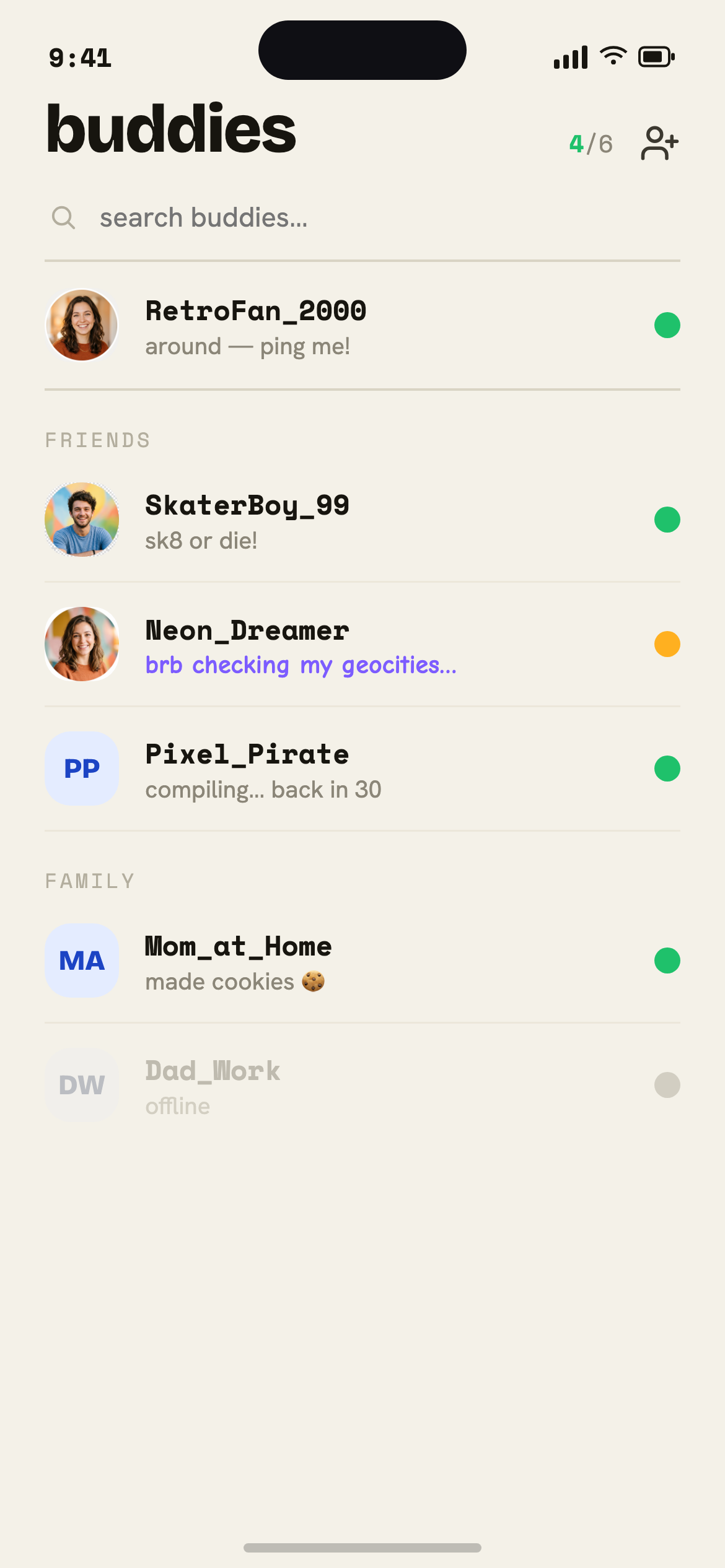
The whole window is sorted by who's around. A gray dot means later; a green dot means now. No counting likes, no guessing — you can just see when a friend is free to talk.
- Live online / away / offline dots
- Sorted by who's around now
- Groups for Family, Friends, Co-workers
Away messages say what a status can't
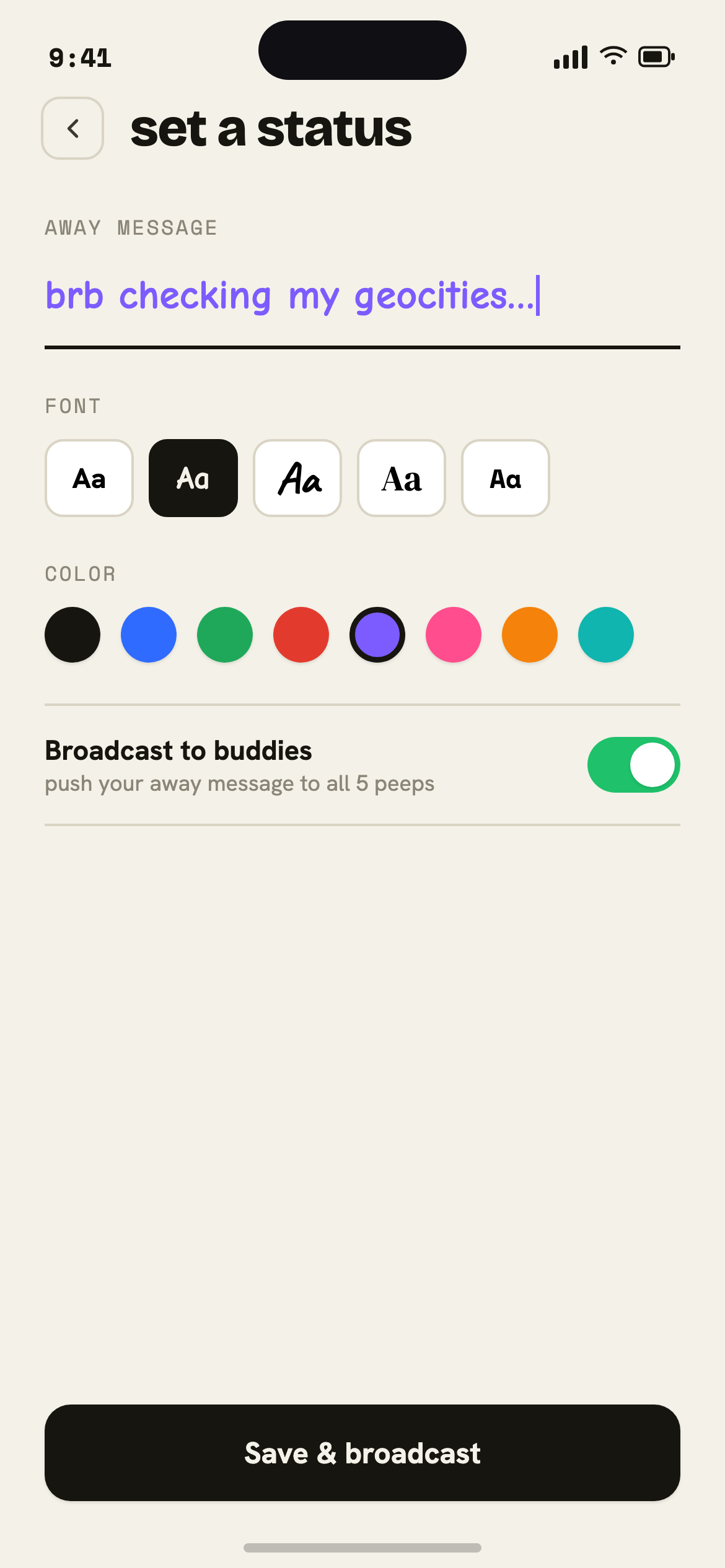
The lost art of the away message is back. Tell your buddies you're “out for a run, back at 6” or “heads-down, text only.” It's a status with personality — not a post for strangers.
- Custom away text
- Quick presets for the usual
- Visible only to your buddies
IM is just the on-ramp
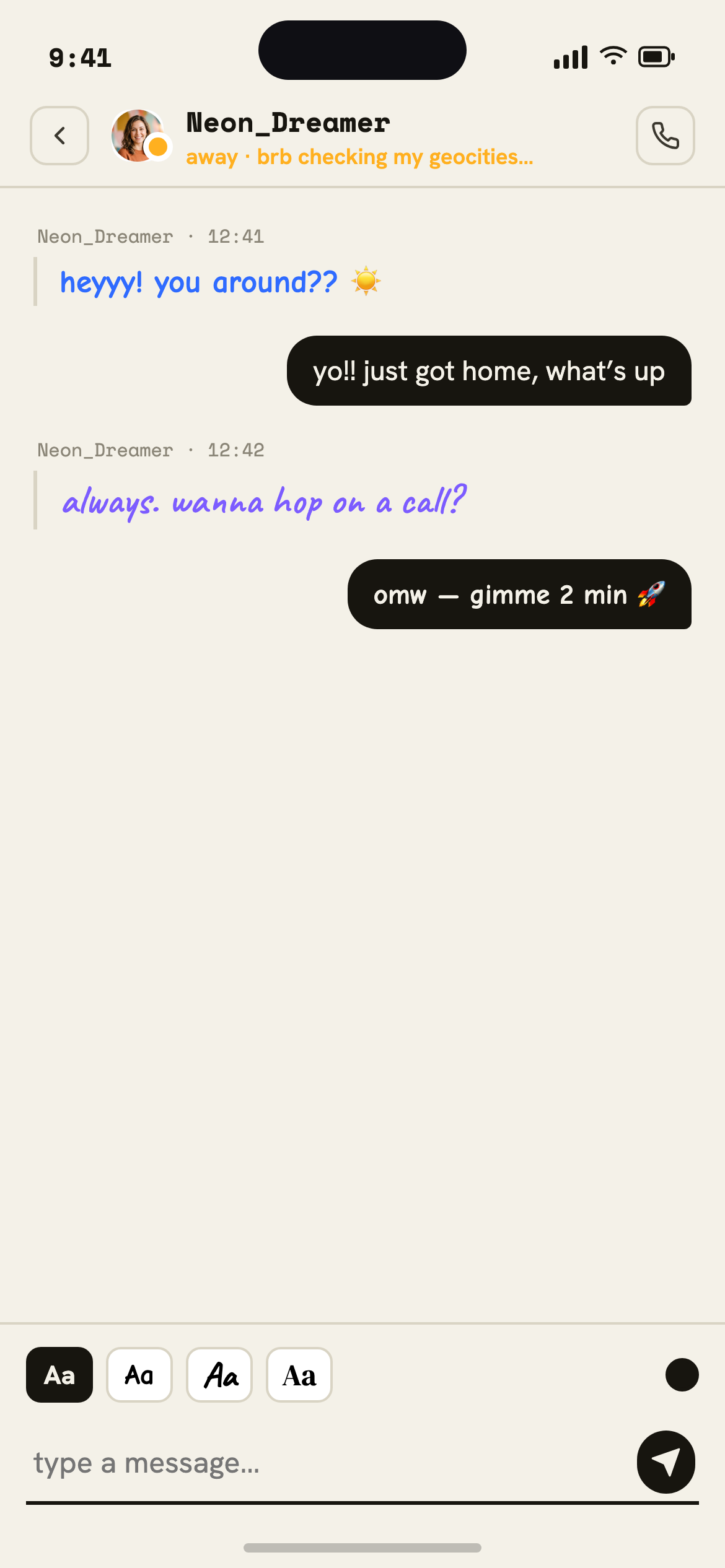
Fire off a quick IM in a proper little window, then jump straight to a Call or FaceTime when typing isn't enough. Bold, italics, and underline included — block button too, just in case.
- Classic IM window
- One tap to Call or FaceTime
- B / I / U and block controls
A screen name and a story
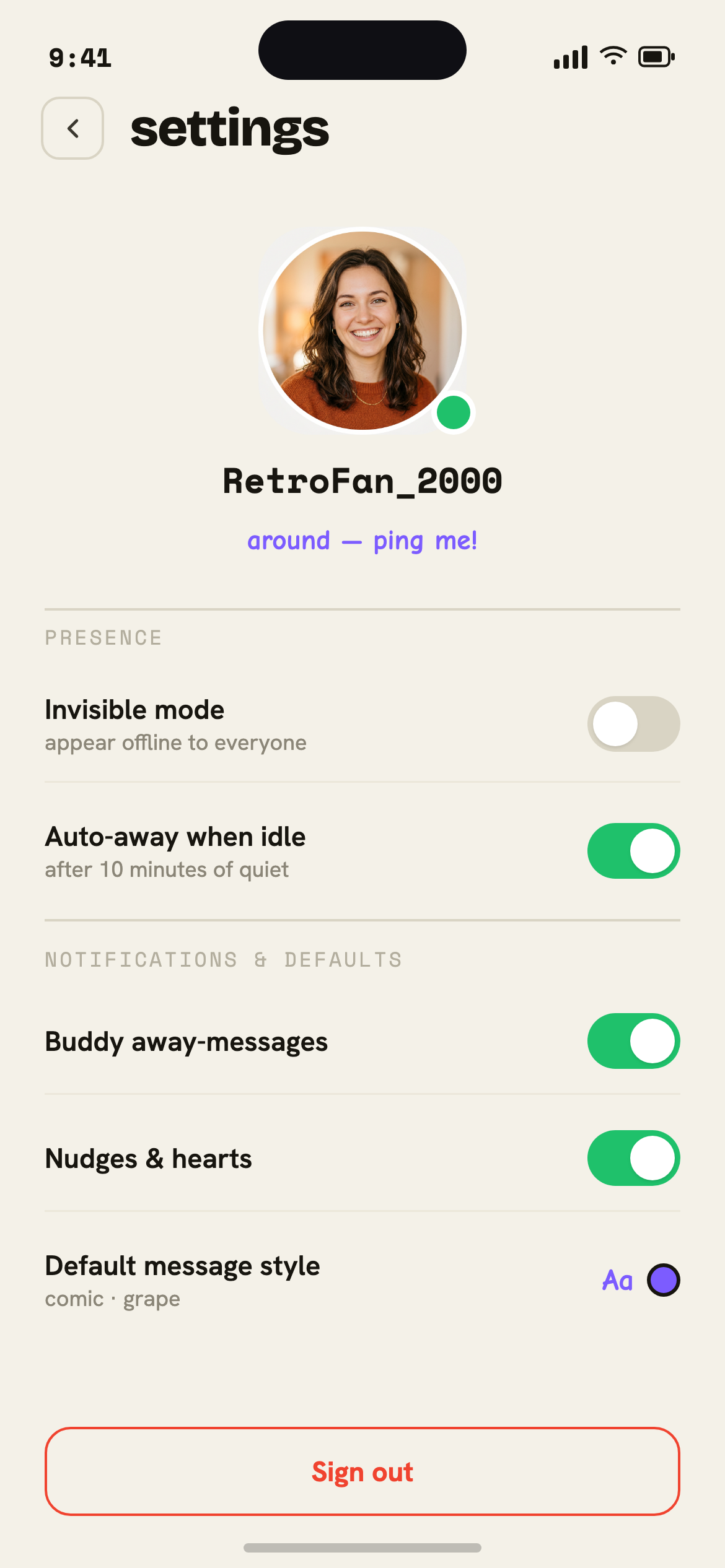
Pick a screen name, write a bio, and list what you're into. “Member since” and a few interests beat a follower count every time. It's a tiny corner of the web that's just yours.
- Screen name + member since
- Short bio and interests
- No followers, no metrics
Everything you loved about AIM. None of the feed.
Built on presence, not posts. No likes, no algorithm, no endless scroll — just the people you actually want to talk to.
See who's free right now
Gray means busy, green means come say hi. The little dot flips to green and you feel that old dopamine — your friend is around.
Set the perfect status
“brb walking the dog.” “in a meeting, text me.” Away messages are back — say what you're up to without posting it to the world.
Profiles worth a peek
Pick a screen name, write a bio, list your interests. A little corner of the web that's just yours — no follower count in sight.
Tap a buddy, start a call
When someone's green, one tap starts a FaceTime or a call. The point was never the typing. It was hearing each other.
Keep your circle small
Six buddy slots. That's it. Want to add someone? You have to swap someone out. Choose wisely — closeness over clout.
A little wave hello
Don't know what to say? Send a heart. It's the modern “buzz” — a tiny nudge that says I'm thinking about you, no essay required.